SQL Proficiency for Business Analysts: Advanced Queries for 2026 Success
Advertisements
By 2026, business analysts must possess advanced SQL proficiency, leveraging complex queries like Common Table Expressions, Window Functions, and advanced Joins to extract actionable insights from vast datasets for strategic business decision-making.
The landscape of business analytics is constantly evolving, with data becoming the cornerstone of strategic decisions. For professionals aiming to excel, SQL Proficiency for Business Analysts: 5 Advanced Queries Every Professional Needs in 2026 (Insider Knowledge) is no longer just a desirable skill but a fundamental requirement. This article delves into the critical SQL techniques that will differentiate top-tier analysts in the coming years, equipping you with the tools to unlock deeper insights and drive significant business value.
The Evolving Role of SQL in Business Analytics
SQL, or Structured Query Language, remains the backbone of data management and analysis across industries. While foundational SQL skills are widespread, the increasing complexity and volume of data demand a more sophisticated approach. Business analysts are no longer just reporting on past trends; they are expected to predict future outcomes, optimize processes, and identify new opportunities, all powered by robust data extraction and manipulation capabilities. This evolution necessitates a deeper dive into advanced SQL functionalities that go beyond basic SELECT statements.
Understanding the nuances of SQL allows analysts to interact directly with databases, bypassing limitations of pre-built reports and dashboards. This direct access provides unparalleled flexibility to tailor data extraction to specific business questions, leading to more precise and timely insights. The demand for analysts who can write efficient, complex queries is skyrocketing, making advanced SQL a critical differentiator in the competitive job market.
Why Advanced SQL is Non-Negotiable
- Unlocking Deeper Insights: Advanced queries enable the discovery of hidden patterns and relationships within data that simpler queries might miss.
- Enhanced Efficiency: Efficiently written complex queries can process large datasets much faster, saving valuable time and resources.
- Strategic Decision Support: Analysts can provide more compelling, data-backed recommendations when they can thoroughly explore and understand the underlying data.
- Career Advancement: Proficiency in advanced SQL signals a higher level of technical capability and problem-solving, opening doors to more senior roles.
The ability to craft sophisticated SQL queries empowers business analysts to transform raw data into actionable intelligence, bridging the gap between technical data repositories and strategic business objectives. This section underscores the foundational shift in expectations for business analysts, highlighting why merely knowing SQL is no longer sufficient; mastering it is paramount for future success.
Query 1: Common Table Expressions (CTEs) for Enhanced Readability and Modularity
Common Table Expressions, or CTEs, are powerful SQL constructs that allow you to define a temporary, named result set that you can reference within a single SQL statement (SELECT, INSERT, UPDATE, or DELETE). They significantly improve the readability and maintainability of complex queries by breaking them down into logical, manageable steps. Instead of nesting multiple subqueries, which can quickly become unwieldy, CTEs provide a clearer, more structured approach to data manipulation.
For business analysts, CTEs are invaluable when dealing with multi-step calculations, hierarchical data, or when needing to reference the same subquery multiple times. They act like temporary views, making it easier to understand the flow of data processing and debug intricate logic. This modularity is particularly beneficial in large organizations where queries might be reviewed or maintained by multiple team members over time.
Structuring Complex Logic with CTEs
The primary advantage of CTEs lies in their ability to simplify complex queries. Imagine needing to calculate the average sales per region, and then identify the top 10 products within each region based on those averages. Without CTEs, this would likely involve nested subqueries or temporary tables, both of which can obscure the query’s intent. With CTEs, you can define one temporary result set for regional sales, another for product sales, and then combine them cleanly.
- Improved Readability: By naming intermediate result sets, CTEs make the query logic much easier to follow.
- Simplified Debugging: Each CTE can be tested independently, streamlining the debugging process for complex operations.
- Recursive Queries: CTEs are essential for handling hierarchical data, such as organizational charts or bill of materials, through recursive definitions.
- Avoiding Redundancy: When a subquery is needed multiple times, a CTE allows it to be defined once and reused, improving efficiency.
CTEs are a cornerstone of modern SQL practices, transforming how analysts approach complex data challenges. By adopting CTEs, business analysts can write more elegant, efficient, and understandable queries, which is crucial for delivering timely and accurate insights in 2026.
Query 2: Window Functions for Advanced Analytics and Ranking
Window functions perform a calculation across a set of table rows that are somehow related to the current row. Unlike aggregate functions (like SUM, AVG, COUNT) that collapse rows into a single output row, window functions retain the individual rows in the query result. This unique characteristic makes them incredibly powerful for tasks like calculating running totals, moving averages, ranking, or comparing a row’s value to an adjacent row’s value within a defined partition.
For business analysts, window functions are a game-changer for comparative analysis and trend identification. They enable calculations that would otherwise require self-joins or complex subqueries, often with much better performance. Whether it’s ranking customer purchases, identifying market share changes over time, or calculating year-over-year growth, window functions provide an elegant and efficient solution.
Practical Applications of Window Functions
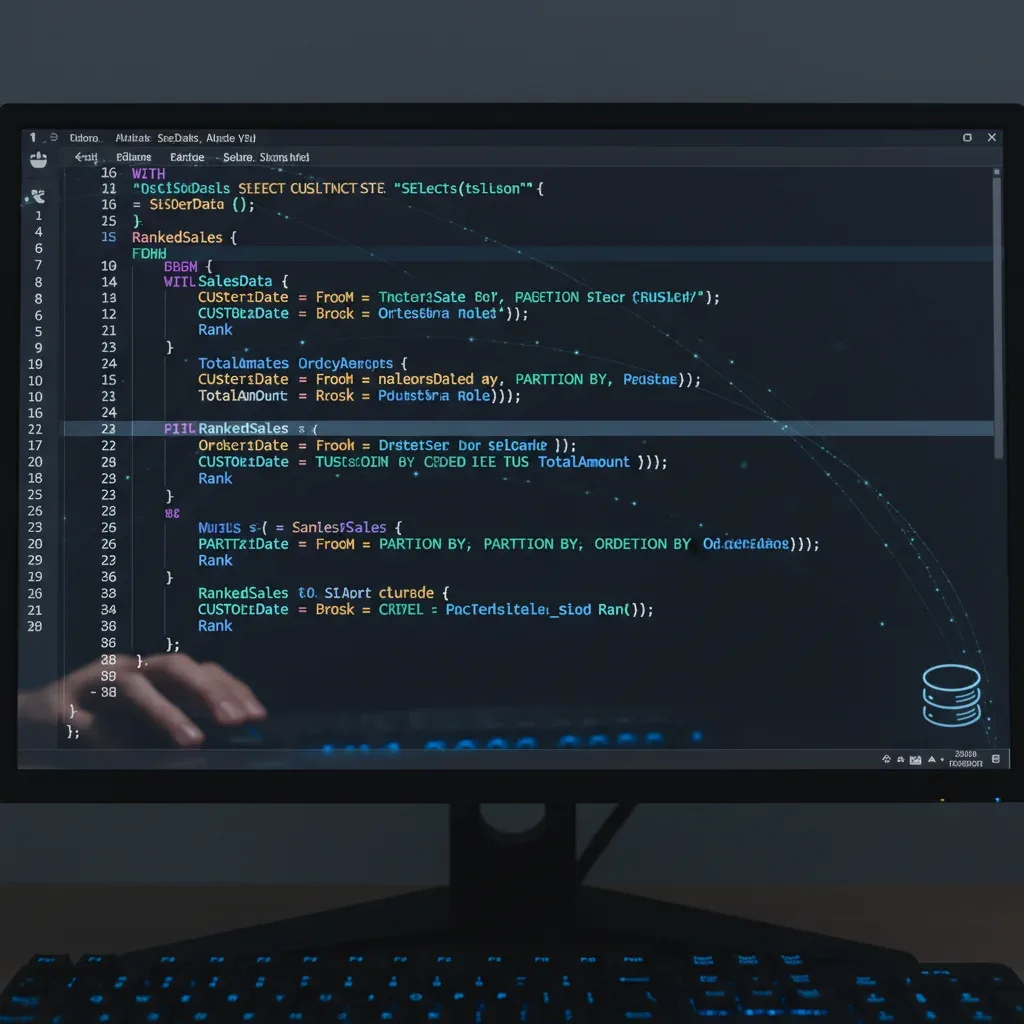
Consider a scenario where you need to rank products by sales within each product category, or calculate the cumulative sales for each customer over their purchase history. Window functions, with clauses like PARTITION BY and ORDER BY, allow you to define the ‘window’ or group of rows over which the function operates. This flexibility makes them indispensable for a wide range of analytical tasks.
- Ranking Data: Functions like
ROW_NUMBER(),RANK(), andDENSE_RANK()are perfect for assigning ranks based on specific criteria within groups. - Calculating Running Totals: Easily compute cumulative sums or moving averages over a specified range of rows, ideal for financial analysis or performance tracking.
- Lag and Lead Analysis: Compare a row’s value to the preceding (
LAG()) or succeeding (LEAD()) row, useful for analyzing sequential data like stock prices or customer journeys. - Percentage of Total: Determine each item’s contribution to a group’s total without aggregating the entire dataset.
Mastering window functions significantly elevates a business analyst’s capability to perform sophisticated data analysis, providing deeper insights into performance, trends, and comparisons that are crucial for strategic planning in 2026.
Query 3: Advanced Joins and Set Operators for Comprehensive Data Integration
While basic INNER JOIN and LEFT JOIN are fundamental, advanced joins and set operators are vital for integrating data from disparate sources and handling complex relationships. Business analysts frequently encounter scenarios where data resides in multiple tables or even different databases, requiring sophisticated techniques to bring it all together for a holistic view. Understanding FULL OUTER JOIN, CROSS JOIN, and self-joins, along with set operators like UNION, INTERSECT, and EXCEPT, is crucial for comprehensive data integration.
FULL OUTER JOIN is particularly useful when you need to see all records from both tables, matching where possible, and showing NULLs where no match exists. This is excellent for identifying discrepancies or understanding the full scope of data overlap (or lack thereof). CROSS JOIN, though used sparingly, creates a Cartesian product, pairing every row from the first table with every row from the second, which can be valuable for generating permutations or master lists. Self-joins are essential for analyzing hierarchical data or comparing records within the same table, such as finding employees who report to the same manager.
Leveraging Set Operators for Data Comparison
Set operators provide a powerful way to combine or compare result sets from two or more queries. They operate on the entire result set, requiring the columns in each query to be of the same number and compatible data types. Each operator serves a distinct purpose:
UNIONandUNION ALL: Combine the result sets of two or more SELECT statements.UNIONremoves duplicate rows, whileUNION ALLretains them, making it faster when duplicates are acceptable.INTERSECT: Returns only the rows that are common to both result sets, ideal for finding shared customers or products across different campaigns.EXCEPT(orMINUSin some SQL dialects): Returns rows from the first query that are not present in the second query, useful for identifying unique customers in one segment but not another.
Mastering these advanced join types and set operators empowers business analysts to construct a complete and accurate picture from fragmented data, a critical skill for robust analysis and reporting in 2026. These techniques move beyond simple data retrieval to sophisticated data synthesis.
Query 4: Subqueries and Correlated Subqueries for Dynamic Filtering
Subqueries, also known as inner queries or nested queries, are queries embedded within another SQL query. They can be used in various clauses, including SELECT, FROM, WHERE, and HAVING, to retrieve data that will be used by the outer query. Subqueries are incredibly versatile for filtering data dynamically, performing calculations based on aggregated values, or checking for the existence of records.
A simple subquery might find all products that have sales above the average product sales. The subquery calculates the average, and the outer query uses that result to filter. This approach simplifies complex conditional logic and allows for more flexible data retrieval than static values. However, the true power often emerges with correlated subqueries.
Correlated Subqueries for Row-by-Row Evaluation
A correlated subquery is a subquery that depends on the outer query for its values. It executes once for each row processed by the outer query, making it particularly useful for row-by-row comparisons or finding specific data points related to each record. While potentially less performant than joins for large datasets, correlated subqueries offer precision in scenarios where a direct join might not capture the exact logic needed.
- Dynamic Filtering: Subqueries allow filtering based on results that change, such as finding employees whose salary is above their department’s average.
- Existence Checks: Using
EXISTSorNOT EXISTSwith subqueries efficiently checks for the presence or absence of related records. - Derived Columns: Subqueries in the
SELECTclause can create new columns based on aggregated or filtered data from another table for each row. - Complex Aggregations: Performing aggregations on subsets of data before joining or filtering the main dataset.
Understanding when and how to effectively use subqueries and correlated subqueries is a hallmark of an advanced SQL user. These techniques enable business analysts to perform highly granular and context-specific data analysis, delivering insights that are precisely tailored to complex business questions in 2026.
Query 5: Recursive CTEs for Hierarchical and Graph Data Analysis
Recursive CTEs are a specialized form of Common Table Expressions that allow a query to reference itself. This recursive capability makes them exceptionally powerful for querying hierarchical or graph-like data structures, such as organizational charts, bill of materials, or network connections. Traditional SQL queries struggle with these types of relationships, often requiring complex, iterative procedures in application code. Recursive CTEs bring this logic directly into the database query, offering a more efficient and elegant solution.
The structure of a recursive CTE involves two main parts: an anchor member and a recursive member. The anchor member is the initial query that defines the base result set. The recursive member then repeatedly executes, joining with the previous result set of the CTE until no more rows are returned. This iterative process allows you to traverse down or up a hierarchy, collecting information at each step.
Navigating Complex Relationships with Recursion
Imagine needing to find all direct and indirect reports for a specific manager, or calculating the total cost of a product by summing up the costs of all its sub-components in a multi-level assembly. These are classic problems where recursive CTEs shine. They allow analysts to trace paths and aggregate data across arbitrary depths of a hierarchy, which is virtually impossible with standard joins alone.
- Organizational Structures: Easily retrieve all employees reporting to a specific manager, at any level of the hierarchy.
- Bill of Materials: Calculate the cumulative cost or quantity of components required for a finished product, handling multiple levels of sub-assemblies.
- Network Analysis: Explore connections and paths within social networks, transportation routes, or other graph-based data.
- Pathfinding: Identify all possible routes or relationships between two points in a hierarchical dataset.
For business analysts dealing with complex, interconnected data, mastering recursive CTEs provides an unparalleled ability to extract meaningful insights from hierarchical structures. This advanced technique is crucial for understanding intricate relationships and driving strategic decisions in increasingly complex business environments by 2026.
Best Practices for Writing Advanced SQL Queries
Beyond knowing the syntax of advanced queries, writing efficient, maintainable, and robust SQL is an art. For business analysts, adopting best practices ensures that their queries not only deliver accurate results but are also scalable, understandable by others, and perform optimally. This involves a combination of technical discipline and a clear understanding of database principles. In 2026, the expectation for analysts isn’t just to write queries, but to write good queries.
One crucial aspect is understanding query execution plans. Knowing how the database processes your query can reveal performance bottlenecks and guide optimization efforts. Tools within your database management system often provide visual or textual explanations of these plans, making it easier to identify inefficient joins or filters. Another key practice is commenting your code. Complex queries, especially those using CTEs or window functions, benefit immensely from clear, concise comments explaining the logic of each part.
Key Principles for Optimal Query Design
- Understand Your Data: Before writing any query, have a clear understanding of the data model, table relationships, and data types.
- Start Simple, Then Build: Begin with basic queries and gradually add complexity. Test each component (e.g., each CTE) independently.
- Use Aliases Judiciously: Aliases make queries more readable, especially when dealing with multiple tables or long column names.
- Avoid SELECT *: Explicitly list the columns you need. This improves performance and prevents unexpected results if table schemas change.
- Index Awareness: Be aware of the indexes on your tables and how your queries can leverage them for faster data retrieval.
- Test Thoroughly: Always test your queries with various datasets, including edge cases, to ensure accuracy and robustness.
Adhering to these best practices will not only improve the quality of your SQL but also enhance your credibility as a business analyst. In an era where data integrity and performance are paramount, writing clean, efficient, and well-documented advanced SQL is a competitive advantage for any professional in 2026.
| Key SQL Concept | Business Analyst Application |
|---|---|
| Common Table Expressions (CTEs) | Breaking down complex queries into readable, modular steps for multi-stage analysis. |
| Window Functions | Performing advanced calculations like ranking, running totals, and moving averages across partitions. |
| Advanced Joins & Set Operators | Integrating and comparing data from diverse sources for a comprehensive view. |
| Recursive CTEs | Analyzing hierarchical and graph data structures for complex relationship insights. |
Frequently Asked Questions About Advanced SQL for Business Analysts
Why is advanced SQL critical for business analysts in 2026?▼Advanced SQL is crucial because the volume and complexity of data are rapidly increasing. Analysts need sophisticated query skills to extract deeper insights, perform complex calculations, and integrate disparate data sources effectively, moving beyond basic reporting to strategic decision support and predictive analytics.
How do Common Table Expressions (CTEs) benefit query writing?▼CTEs significantly improve query readability and modularity by breaking down complex operations into logical, named steps. This makes intricate queries easier to write, understand, and debug, especially when dealing with multi-stage calculations or recursive data structures, enhancing overall query maintainability.
What are window functions used for in business analysis?▼Window functions are used for advanced analytical tasks like ranking, calculating running totals, moving averages, and comparing values across related rows. They allow analysts to perform sophisticated comparative analysis and identify trends without collapsing individual rows, providing richer contextual insights.
When should a business analyst use recursive CTEs?▼Recursive CTEs are essential for analyzing hierarchical or graph-like data structures. This includes scenarios such as traversing organizational charts, calculating component costs in a bill of materials, or mapping relationships in a network, enabling efficient queries over arbitrarily deep structures.
What are the key best practices for writing advanced SQL queries?▼Key best practices include understanding your data model, starting simple and building complexity, using clear aliases, avoiding SELECT *, being aware of database indexes for performance, and thoroughly testing queries. These practices ensure efficiency, accuracy, and maintainability of your SQL code.
Conclusion
The journey to becoming a top-tier business analyst in 2026 is inextricably linked to mastering advanced SQL. The five query types discussed—Common Table Expressions, Window Functions, Advanced Joins and Set Operators, Subqueries and Correlated Subqueries, and Recursive CTEs—represent the cutting edge of data manipulation and analysis. By diligently practicing and integrating these techniques into your analytical toolkit, you will not only unlock deeper insights from complex datasets but also significantly enhance your value to any organization. The ability to craft efficient, elegant, and powerful SQL queries is no longer a niche skill but a fundamental requirement for driving strategic decisions and fostering professional growth in the dynamic world of data-driven business.
